Your Cart is Empty


View other products by Acousticsamples

SAMPLING MEETS MODELING, AGAIN
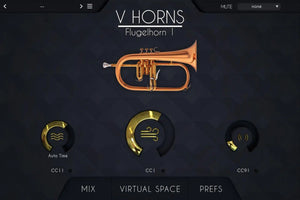
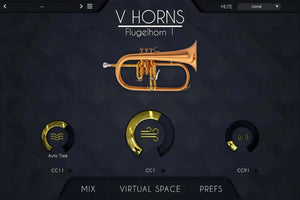
The VHorns - Flugelhorn can be purchased alone and is part of the VHorns Brass Section bundle. You can find more information, demos and videos on the Vhorns Brass Section page
The H.A.T.
Thanks to our proprietary H.A.T. (Harmonic Alignment Technology), VHorns is not just another heavily multi-sampled instrument - you can play articulations exactly like a live player would, with just a mod wheel to control air flow (or even just by drawing in automation).
There are no elaborate keyswitches involved to play staccatos, marcatos, legatos or double tongues - you simply load up the instrument in your DAW and play. Vibrato can even be automated.
How does sampling + modeling work, and why does it sound so natural? Read sampled, modeled or hybrid.
Authentic Vibrato
We carefully measured the different parameters that change when a brass player uses vibrato and we combined everything into a highly realistic and customizable vibrato for VHorns.
There are multiple ways to control the vibrato: automatic, automatic depending on time, and manually.
Legato Transitions
Fast legato transitions are often the main give away that an instrument is virtual rather than real, so we spent a considerable amount of time and effort carefully extracting every tiny detail of several recorded live transitions to make ours indistinguishable from a real performance.
These transitions range from lightning fast note changes to extremely slow bends, with and without extra attack. We covered everything - and you have complete control.
The legatos behaviour can be adjusted and even randomized for more life-like performances.
Multi Microphone Recording
Recording a brass instrument can be done in various ways and at different positions. We used 4 different microphone positions so that you can get the exact sound you want, as if you had chosen the microphone placement yourself.
This can produce even better results when using the "virtual space”, detailed below.
You can apply reverb and EQ to mix it completely to your taste.
Virtual Space
The virtual space perfectly replicates a real recording of an ensemble, using convolution. When you record a big band, you usually place a pair of microphones in front of the musicians and they naturally take position in the stereo field depending on where they are in the room.
The Virtual Space does exactly the same thing; you can place the musician wherever you like.
When using this with multiple tracks, you immediately have the feeling of being in front of a real horns section.
Mutes
No Big Band horn section would be complete without mutes - they are an integral part of the sound. VHorns offers a variety of mutes on all 3 instruments: Plunger, Straight, Cup and Bucket.
Simply select the mute you want in the top right corner of the instrument’s interface and start playing.
Advanced Editing
There is an endless number of ways to play a brass instrument, and we took the time to talk to world-class players about the different variations they incorporate into their playing on a regular basis. Based on these discussions, we’re very proud to present the first ‘Advanced Editing’ tab in our VSeries - giving you near-infinite control over these instruments.
Keyboard, Breath Controller or Wind Controller
VHorns can be played using a keyboard by selecting the notes on the keyboard and controlling the air flow with a MIDI controller like the modulation wheel or a breath controller.
You can also use a wind controller like an EWI, an Aerophone a Sylphyo or any other brand, in which case you need to use the appropriate controller menu in the MIDI section.
Ensemble
If you load multiple instruments at the same time, it will play unisons exactly at the same time.
We added some smart features that first can change the timbre of the instruments, transpose everything by a fixed interval and also act on the MIDI performance.
For example, you can have all 6 instruments with a different transposition value play the same C minor scale, so no matter what you play on the keyboard, it will sound in key.
System Requirements
PC
Mac
in standalone or as a plugin (VST / AU / AAX ) and in 64 bits only.